Search content
Sort by
Showing 9 of 9 results by soxar
Where is Block Explorer 
explorer is release in two days
This relocation of 5000 XAR is most likely for MNs. The remaining is premine.
Premine is 2,5% of 18 000 000 coins. That is 450 000 XAR, not 10M.
i checking this issue
Hi SOXAR supporters :triangular_flag_on_post: ,
:fireworks: PRESALE time :fireworks: !!!
Staking packages :
2500 XAR = 0.045 BTC (30% discounted price) : only 10 packages available
1000 XAR= 0.018 BTC (20% discounted price) : only 25 packages available
500 XAR = 0.01 BTC (10% discounted price) : only 50 packages available
Masternodes package
1 to 20 MN : 1 MN = 0.1 BTC (37.5% discounted price)
Please feel free to contact @mirza02#2649 @mcialfi#9442 if you need more information
https://discord.gg/YyDWjyy

:fireworks: PRESALE time :fireworks: !!!
Staking packages :
2500 XAR = 0.045 BTC (30% discounted price) : only 10 packages available
1000 XAR= 0.018 BTC (20% discounted price) : only 25 packages available
500 XAR = 0.01 BTC (10% discounted price) : only 50 packages available
Masternodes package
1 to 20 MN : 1 MN = 0.1 BTC (37.5% discounted price)
Please feel free to contact @mirza02#2649 @mcialfi#9442 if you need more information
https://discord.gg/YyDWjyy
Analyzing the source, there's nothing about POS mining, this coin is a SCAM. A poor fork of Dash.
Analyzing the source, there's nothing about POS mining, this coin is a SCAM. A poor fork of Dash.
I have to agree there is no REAL pos on this coin another grp of nubcakes devs with no real understanding of the def of POS which means ALL personal wallet holders get % of POS and a handful of nubcakes to crypto saying its a good coin ROFL :_)>
Da ja
Stabycroc ;_)>
Dont spam here i know you both from https://gos.cx/ Scammer so dont try to make shits or i will report
Hi all, hi devs!
Do you plan to go to Coinmarketcap, Graviex, Bitrex,?
Thank you!
Do you plan to go to Coinmarketcap, Graviex, Bitrex,?
Thank you!
very soon we will be inlist bittrex and conmarketcap
When cap will be listed cryptopia?
I am waiting!
and how many coins do you need for pos-mining?
I am waiting!
and how many coins do you need for pos-mining?
minimum 2000 coins
It's a great idea to use blockchain in the real world!
I will invest in this project!
Thanks!
I will invest in this project!
Thanks!
THanks
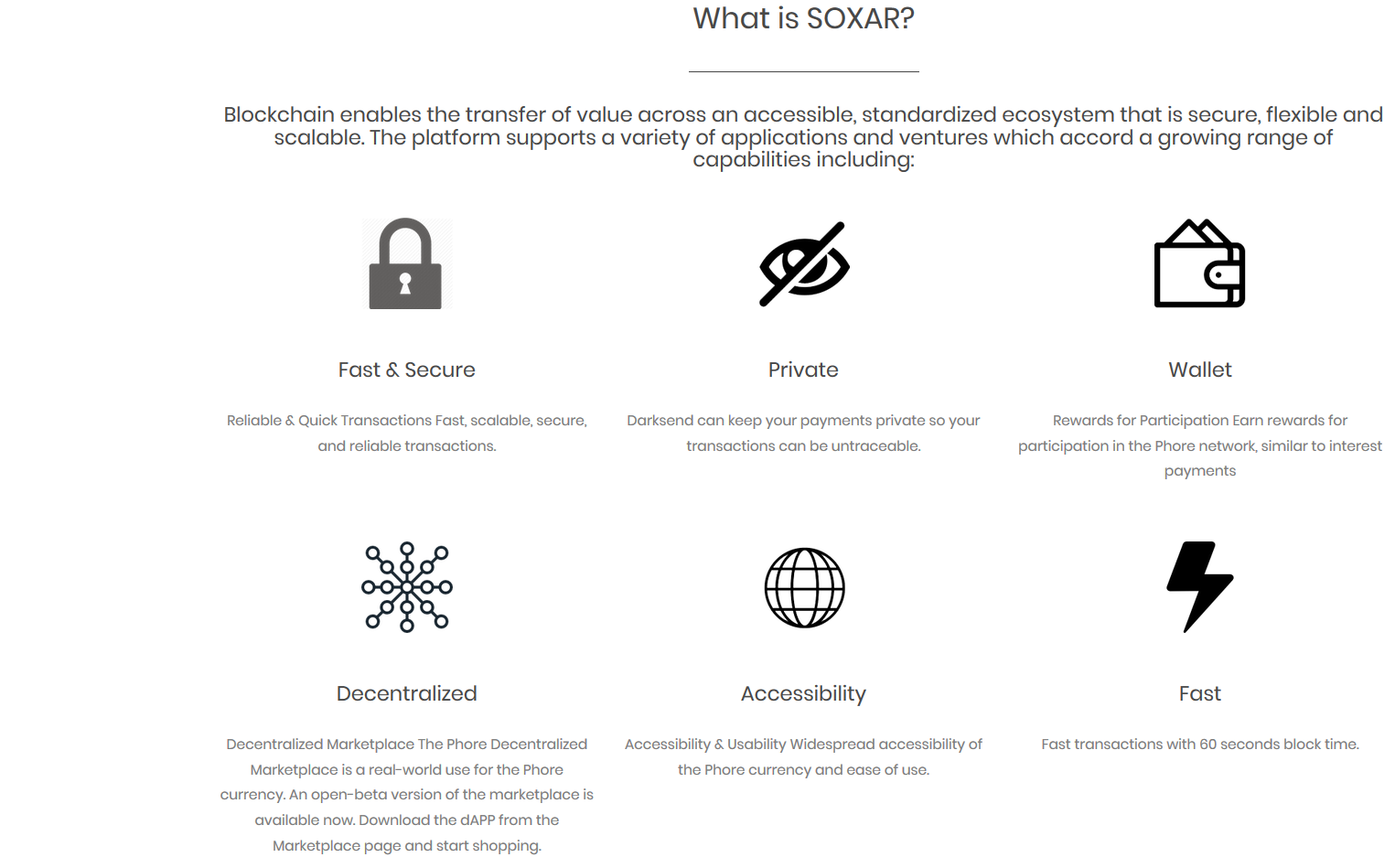
sounds interesting because of the limited total supply and darksend features that make transactions become privacy or cannot be traced. when xar be available on the exchange?
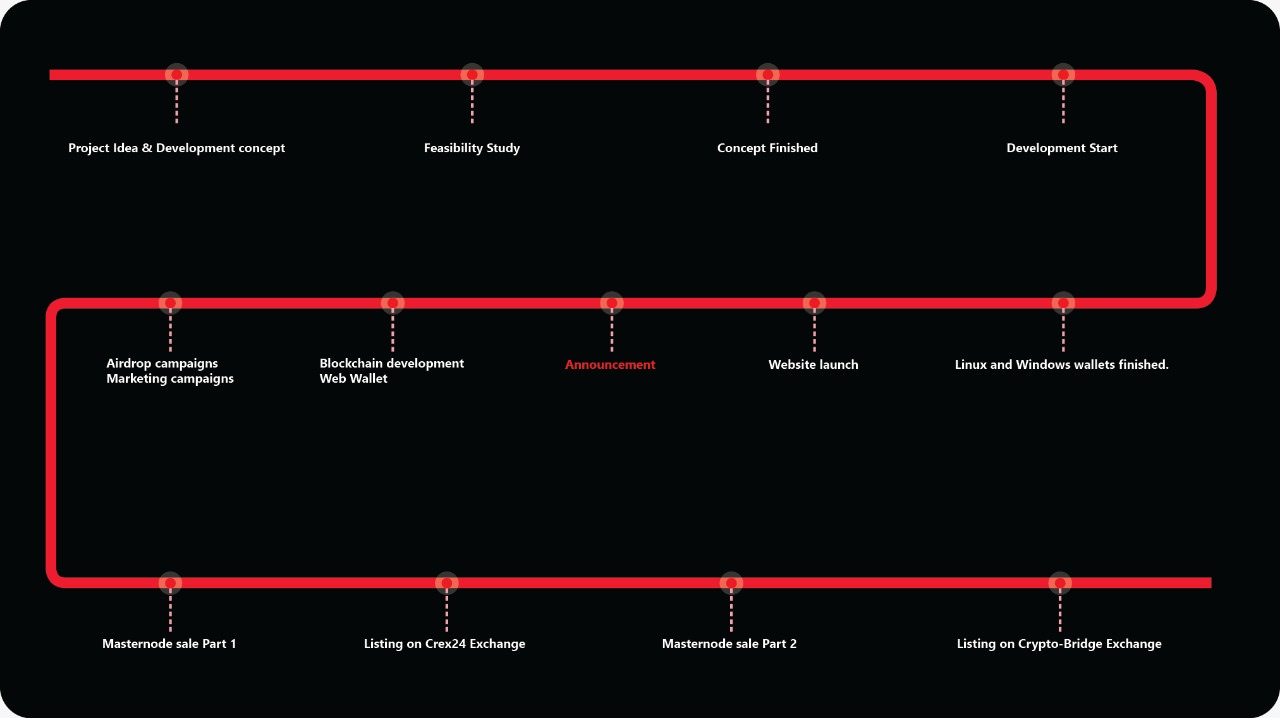
Thanks for your comments, we will launch pre-sale our MN after we will inlist crex24 first
welcome to


--------------------------Pre mine only 2.5% ---------------------------------
A Masternode coin that increases rewards if more Masternodes are online





http://youcrazy.me/
Quote
-a x11 -o stratum+tcp://stratum.youcrazy.me:3533 -u YourWalletAddress -p c=XAR
http://www.smilingmining.com/
Server location in Germany
Fee is 1%
CONNECTION
FOR NICEHASH
Server location in Germany
Fee is 1%
CONNECTION
Quote
URL/HOST:stratum+tcp://smilingmining.com:3533
USERNAME:
PASSWORD:c=XAR
USERNAME:
PASSWORD:c=XAR
FOR NICEHASH
Quote
STRATUM HOSTNAME OR IP:smilingmining.com
PORT:9533
USERNAME:
PASSWORD:c=XAR
PORT:9533
USERNAME:
PASSWORD:c=XAR
HOW TO Setup MasterNode
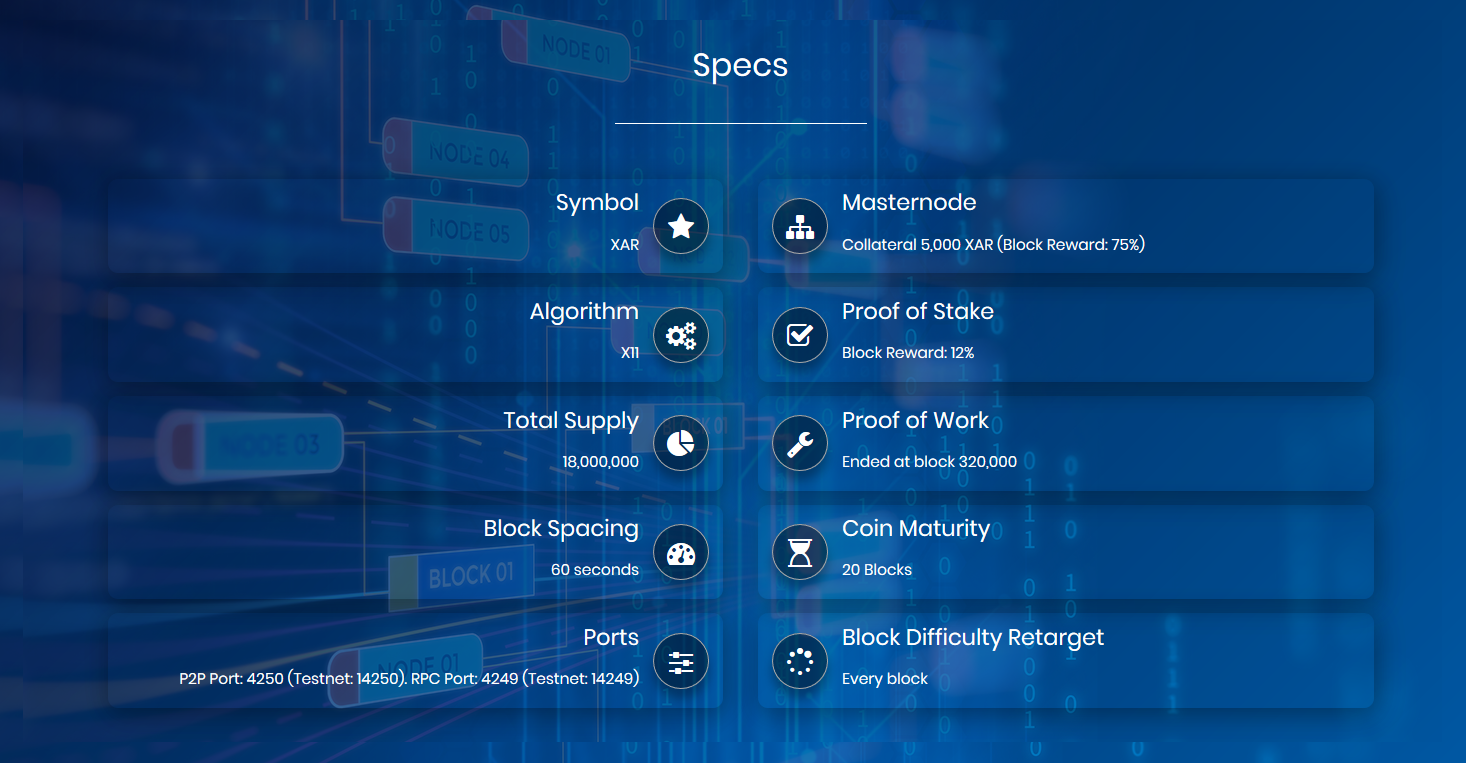
Masternode collateral 5,000 XAR. Masternodes will receive 75% of block reward for the next 2 years
Masternode Setup Guide On VPS:
Masternode Setup Guide On VPS:
Quote
1. Deploy VPS Ubuntu 18.04 (make sure to add 4GB of swap)
2. Install dependencies
Quote
sudo apt-get -y update && sudo apt-get -y install build-essential libssl-dev libdb++-dev libboost-all-dev libcrypto++-dev libqrencode-dev libminiupnpc-dev libgmp-dev libgmp3-dev autoconf autogen automake libtool autotools-dev pkg-config bsdmainutils software-properties-common libzmq3-dev libminiupnpc-dev libssl-dev libevent-dev
sudo add-apt-repository ppa:bitcoin/bitcoin -y
sudo apt-get update
sudo apt-get install libdb4.8-dev libdb4.8++-dev -y
sudo add-apt-repository ppa:bitcoin/bitcoin -y
sudo apt-get update
sudo apt-get install libdb4.8-dev libdb4.8++-dev -y
3. Download the daemon and unzip it
cd
Quote
wget https://github.com/soxar/soxar/releases/download/1.1.1/soxar-daemon-linux.tar.gz
tar -xf soxar-daemon-linux.tar.gz
tar -xf soxar-daemon-linux.tar.gz
4. Run soxard daemon
Quote
~/soxard -daemon
Will see an error here
'To use the "-daemon" option, you must set a rpcpassword in the configuration file'
5. Update soxar.conf file. Run
Quote
vi ~/.soxar/soxar.conf
Paste to the file:
Quote
rpcuser=user
rpcpassword=password
rpcport=4249
rpcallowip=127.0.0.1
daemon=1
server=1
staking=0
rpcpassword=password
rpcport=4249
rpcallowip=127.0.0.1
daemon=1
server=1
staking=0
6. Run soxard daemon again and wait for server to sync.
Quote
~/soxard
7. Run to see if blocks are increasing:
Quote
~/soxard getinfo
8. Generate masternode private key
Quote
~/soxard masternode genkey
9. Update ~/.soxar/soxar.conf
Quote
~/soxard stop vi ~/.soxar/soxar.conf
Quote
Updated file should look like this:
rpcuser=user
rpcpassword=password
rpcport=4249
rpcallowip=127.0.0.1
daemon=1
server=1
staking=0
port=4250
masternodeaddr=your_vps_ip_address:4250
masternode=1
masternodeprivkey=masternode_private_key
rpcuser=user
rpcpassword=password
rpcport=4249
rpcallowip=127.0.0.1
daemon=1
server=1
staking=0
port=4250
masternodeaddr=your_vps_ip_address:4250
masternode=1
masternodeprivkey=masternode_private_key
Start soxard:
Quote
~/soxard
On local Windows/Mac/Ubuntu:1. On Windows/Mac/Ubuntu add below to the soxar.conf file
Quote
rpcuser=user
rpcpassword=password
rpcport=4249
rpcallowip=127.0.0.1
daemon=1
server=1
staking=0
rpcpassword=password
rpcport=4249
rpcallowip=127.0.0.1
daemon=1
server=1
staking=0
2. On Windows/Mac/Ubuntu go to Receive, generate a new address and assign a label to it, ex: MyMasternode
3. Send exactly 5000 XAR to the address above and wait for at least 1 confirmation
4. Open debug console and type
masternode outputs
You should see output like this:
Quote
{
"xxxxxxxxxxxxxxxxx" : 0
}
5. Write for yourself:"xxxxxxxxxxxxxxxxx" : 0
}
Quote
Alias: Your generated address label
Address: your_vps_ip_address:4250
Private Key: private key generated on your vps
TxHash: tx id from masternode outputs output
Output Index: index from masternode outputs tx id
Reward Address: (optional)
Reward %: (optional)
Example:
Alias: MyMasternode
Address: 123.45.67.89:4250
Private Key: xxxxxxxxxxxxxxxxx----xxxxxxxxxxxxxx
TxHash: xxxxxxxxxxxxxxxxx
Output Index: 0
Reward Address:
Reward %:
Address: your_vps_ip_address:4250
Private Key: private key generated on your vps
TxHash: tx id from masternode outputs output
Output Index: index from masternode outputs tx id
Reward Address: (optional)
Reward %: (optional)
Example:
Alias: MyMasternode
Address: 123.45.67.89:4250
Private Key: xxxxxxxxxxxxxxxxx----xxxxxxxxxxxxxx
TxHash: xxxxxxxxxxxxxxxxx
Output Index: 0
Reward Address:
Reward %:
6. On Windows/Mac/Ubuntu Wallet Click Masternodes -> Create and fill information from the step above
7. Click Update -> Start All
If you did all the steps correctly your Masternode should have "Is Running" status

Article Bounty: https://discord.gg/YyDWjyy
Translation Bounty: https://discord.gg/YyDWjyy
Twitter Bounty: https://discord.gg/YyDWjyy
Telegram Bounty: https://discord.gg/YyDWjyy
Youtube Bounty: https://discord.gg/YyDWjyy